What Happened in the Ethersphere npm Hack on 9 November
Crypto news update: attackers broke into the release pipeline of Ethersphere, the team behind Ethereum Swarm, and pushed two malicious builds on 9 November 2026. The Ethersphere npm hack hit the bee-js library and the Swarm Desktop app. Both carried code built to steal wallet keys.
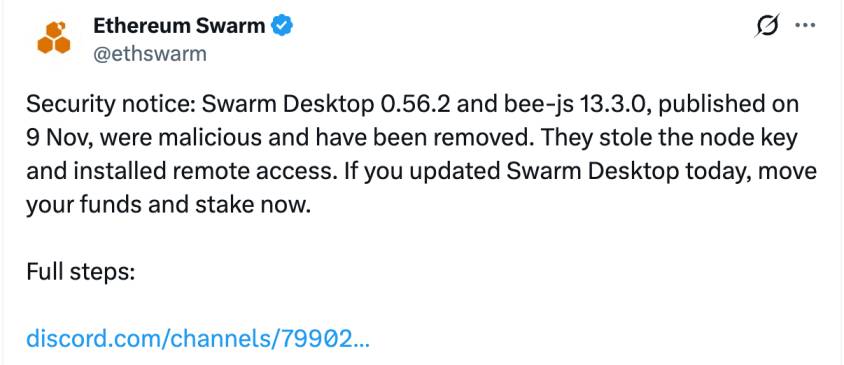
The team confirmed the breach in an official security notice on X and said both releases were removed. It urged anyone who updated the desktop app that day to move funds and stake at once.
Socket researchers, who flagged the code, link it to the earlier SleepyDuck campaign.
Which Versions Were Poisoned and How Long They Stayed live
Item
Malicious version
Clean version
Time live
bee-js library
13.3.0
13.2.0
About 75 minutes
Swarm Desktop
0.56.2
0.56.3
About 8.5 hours
Attackers pushed an unsigned commit under the bee-worker bot identity late on 8 November. The library went live at about 00:09 UTC on 9 November. The desktop build followed near 00:36 UTC through GitHub and the auto-updater, mainly reaching Windows x64 and Apple Silicon.
Both builds passed as genuine. They shipped through official channels, with valid provenance and Apple notarization on macOS. Standard checks stayed quiet, which shows why wallet security cannot rest on signatures alone.
Researchers estimate about 10 library downloads and 65 app downloads, scanners included. Early analyses reported no large fund losses from the Ethersphere npm hack.
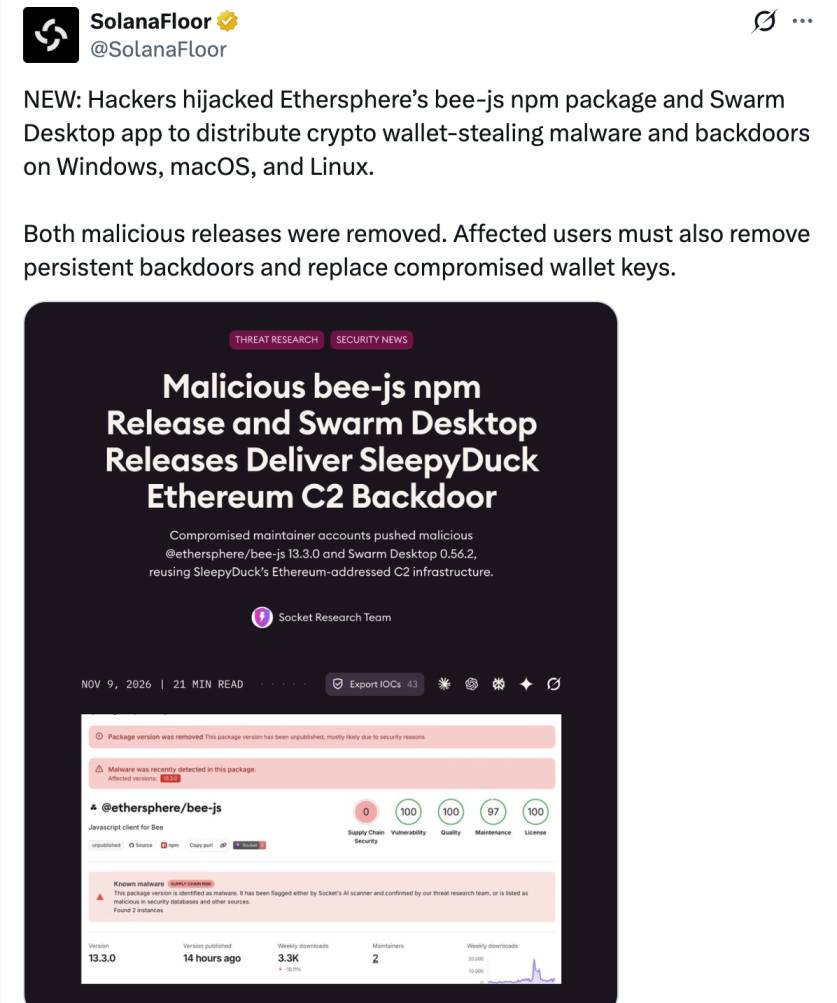
Source: SolanaFloor Official X Post
How the Malware Steals Wallet Keys and Plants Backdoors
A small loader runs on install in the library and at launch in the desktop app. It fetches a second-stage script and hides its errors, so installs look normal.
Key theft: it hunts for config.yaml, which holds a plaintext password, and the encrypted swarm.key wallet file. Together they open access to xDAI, xBZZ, chequebook funds, and stake.
Linux and macOS: a Go-based remote shell hides in a ~/.solidity/ folder and restarts through a systemd service or LaunchAgent.
Windows: a signed ScreenConnect remote client runs as a SYSTEM service, and Defender exclusions are added.
Key theft: it hunts for config.yaml, which holds a plaintext password, and the encrypted swarm.key wallet file. Together they open access to xDAI, xBZZ, chequebook funds, and stake.
Linux and macOS: a Go-based remote shell hides in a ~/.solidity/ folder and restarts through a systemd service or LaunchAgent.
Windows: a signed ScreenConnect remote client runs as a SYSTEM service, and Defender exclusions are added.
The control address sits inside an Ethereum smart contract, so blocking one domain cannot cut it off.
Clean Releases Are Live: What to Install After the Breach
The team released a clean Swarm Desktop 0.56.3, which reuses the code of the clean 0.56.1 build under a new certificate.
It also restored the bee-js latest tag to the clean 13.2.0 release.
The auto-updater should move 0.56.2 users to the latest update, but Linux users must update manually.
What Affected Users Should Do to Protect Funds Right Now
The GitHub advisory classes bee-js 13.3.0 as malware. It says any computer that ran it counts as fully compromised, so rotate secrets from another device.
Removing the app does not clear the backdoors. Follow these steps:
Check logs for Bee Desktop 0.56.2 and lockfiles or CI logs for @ethersphere/[email protected].
If either ran, treat the machine as compromised and move funds, stake, and chequebook from a clean device.
Delete ~/.solidity/, then remove the systemd unit, LaunchAgent, or ScreenConnect service (5cbe79c9c25524df).
Rebuild from a trusted image, pin dependencies, and disable install scripts where practical.
Check logs for Bee Desktop 0.56.2 and lockfiles or CI logs for @ethersphere/[email protected].
If either ran, treat the machine as compromised and move funds, stake, and chequebook from a clean device.
Delete ~/.solidity/, then remove the systemd unit, LaunchAgent, or ScreenConnect service (5cbe79c9c25524df).
Rebuild from a trusted image, pin dependencies, and disable install scripts where practical.
The Ethersphere npm hack shows how a trusted release channel can deliver malware to software that holds keys. Pin versions, review auto-updates, and track crypto security updates as the project shares more guidance.
Disclaimer: This article is for educational and informational purposes only and should not be considered financial or investment advice. Always conduct your own research before making investment decisions.
About the Author Nikhil Vishwakarma
English News Writer at coingabbar.com
Nikhil Vishwakarma is an English news writer and crypto content writer associated with CoinGabbar. His work focuses on cryptocurrency news, blockchain technology, digital assets, and emerging Web3 trends. He writes about Bitcoin, altcoins, memecoins, AI coins, decentralized finance, tokenomics, and new blockchain projects. His content aims to make complex crypto topics easier to understand through clear explanations, relevant research, and reader-focused insights. By following developments in the cryptocurrency industry, he strives to help readers stay informed about market trends, understand new technologies, and recognize the risks associated with digital assets.
Frequently Asked Questions (FAQ)